Written by
Ethan Reeves
Publish Date
Category
Guides
If you've been filming yourself talking to a camera, teaching something, coaching someone, or building an audience on YouTube, you've probably wondered at some point whether it's worth paying someone else to edit your footage.
A talking head video editing service is exactly what it sounds like: a team (or sometimes a solo editor) that takes your raw recordings and turns them into finished, watchable videos.
Whether you need one depends on a few factors that most articles don't make transparent. This one will.
What Is a Talking Head Video? (And Why It's the Most Common Format Online)
A talking head video is footage of a person speaking directly to the camera. That's it.
No b-roll montages, no cinematic shots. Just you, a camera, and whatever you're saying.
They're called "talking head" videos because the shot usually focuses on the shoulders up, with the speaker's head and face as the main visual.
You see them everywhere. YouTube tutorials. Online course lessons. Coach introductions. They're the most common format on the internet right now because they're cheap to produce, easy to record, and when done well, genuinely effective at building trust with an audience.
What makes them look good isn't production value in the Hollywood sense. It's pace, clarity, and the feeling that someone competent handled the footage.
What Does a Professional Talking Head Video Editing Service Actually Include?
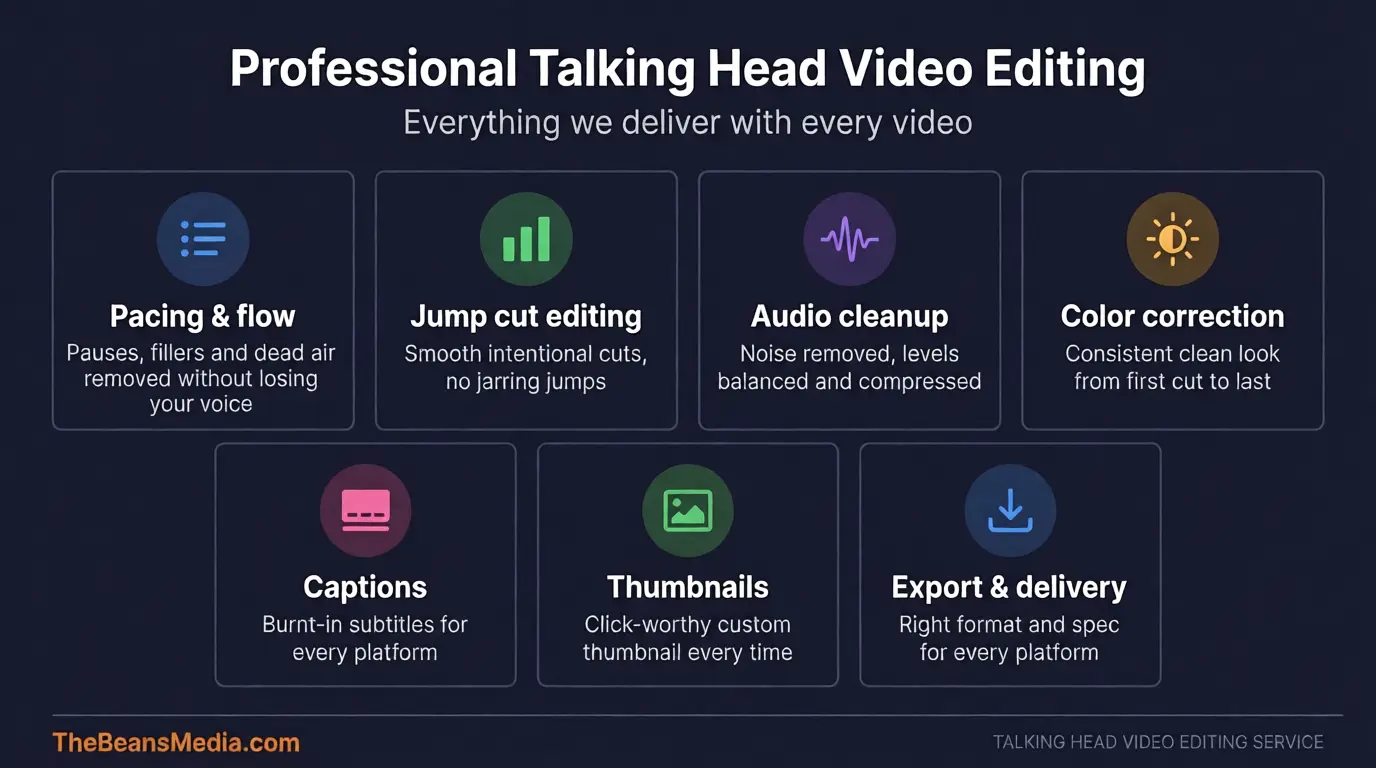
People assume editing is mostly about cutting out the bad takes. That's maybe 20% of the job. Here's what actually goes into it for YouTubers, online coaches, and course creators:
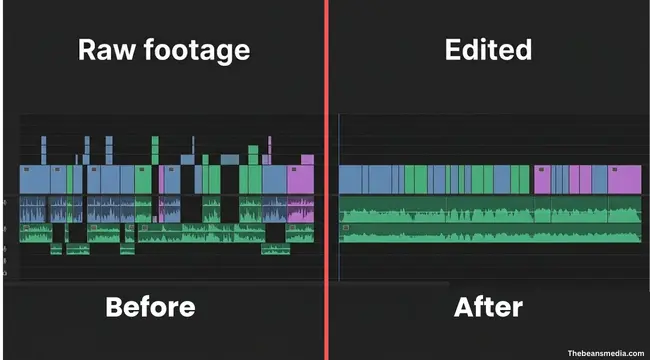
Pacing and flow. Raw talking-head footage is full of pauses, filler words, false starts, and long gaps as the speaker thinks. Filler word removal is one of the most time-consuming parts of the job and one of the most valuable.
A good editor cuts these without making the video feel choppy. The result is a video that feels natural but moves at a pace that holds attention. This is genuinely hard to do. It requires feel, not just technical skill.
Jump cut editing and transitions. When you remove parts of a clip, you're left with a jump cut — a moment where the frame visibly skips.
A bad editor leaves these raw and jarring. A good editor either smooths them with subtle zooms and reframes or uses them intentionally as a style choice. There's a real difference between jump cuts that look accidental and jump cuts that look deliberate.
Audio cleanup. Most people record in imperfect conditions — rooms with echo, AC hum, background noise. A good editor runs noise reduction, levels the audio for consistency throughout, and adds subtle compression so your voice sounds clear and present rather than thin and distant.
Audio is the thing viewers will tolerate least. Bad visuals are forgivable. Bad audio makes people click off.
Color correction and exposure. If your lighting isn't perfect and most people's isn't, the footage often looks flat, too warm, or inconsistent between cuts. Color correction fixes that so the video looks clean and consistent from start to finish.
Captions and graphics. Many editors add burnt-in captions (now pretty much essential for social platforms), lower thirds with your name, chapter markers, or simple motion graphics. These aren't just decorative; they make the content more accessible and keep viewers engaged.
Thumbnails and export. Some services also handle thumbnail creation and ensure the final file is exported correctly for the target platform.
That's a meaningful chunk of work for each video, especially if you're publishing weekly.
What Bad vs. Good Talking Head Editing Looks Like in Practice
Bad editing is easy to spot once you know what to look for.
You're watching a YouTube tutorial. The host says something, then there's a half-second of silence, then they start the next sentence. It feels slow. Your attention drifts. That silence exists because the editor didn't tighten the pauses — they just cut the obvious mistakes and left everything else. This is probably the most common editing problem in creator content.
Or you notice the audio volume jumping between cuts. One moment, the host sounds fine; after an edit, they sound like they're in a different room. That's inconsistent audio leveling; the editor didn't match the audio between takes.
Or the color changes between cuts. In one clip, the speaker looks slightly orange, the next slightly blue. This happens when the lighting changes between takes and no one corrects it in post.
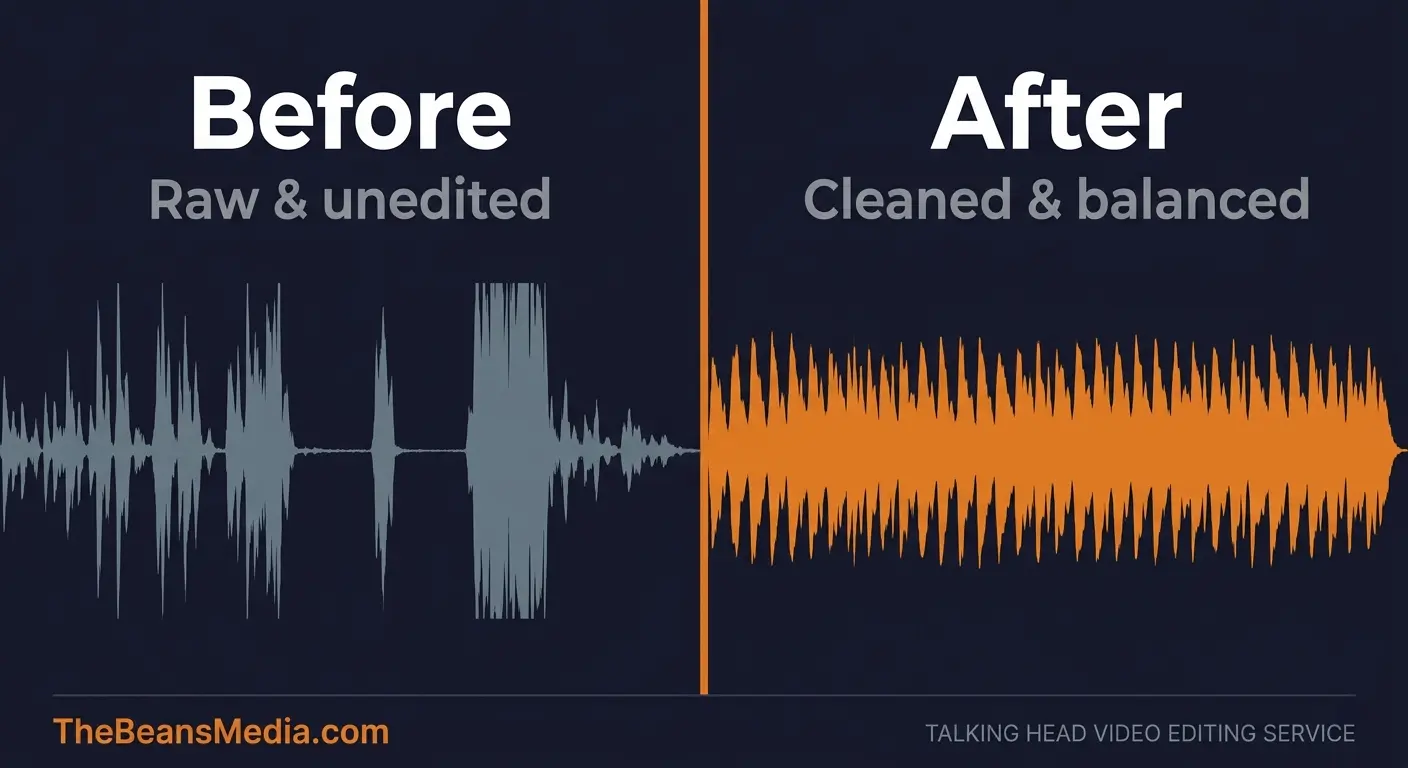
Good editing is almost invisible. You watch a 15-minute video, and it feels like 8 minutes. The speaker seems sharp and confident, as if they always knew what they were about to say — even though the raw footage was full of restarts and tangents.
You don't notice the cuts. You just noticed that you stayed engaged the whole time and actually understood what you came to learn.
The difference between a video that builds your reputation and one that quietly damages it often comes down to editing.
What About AI Video Editing Tools?
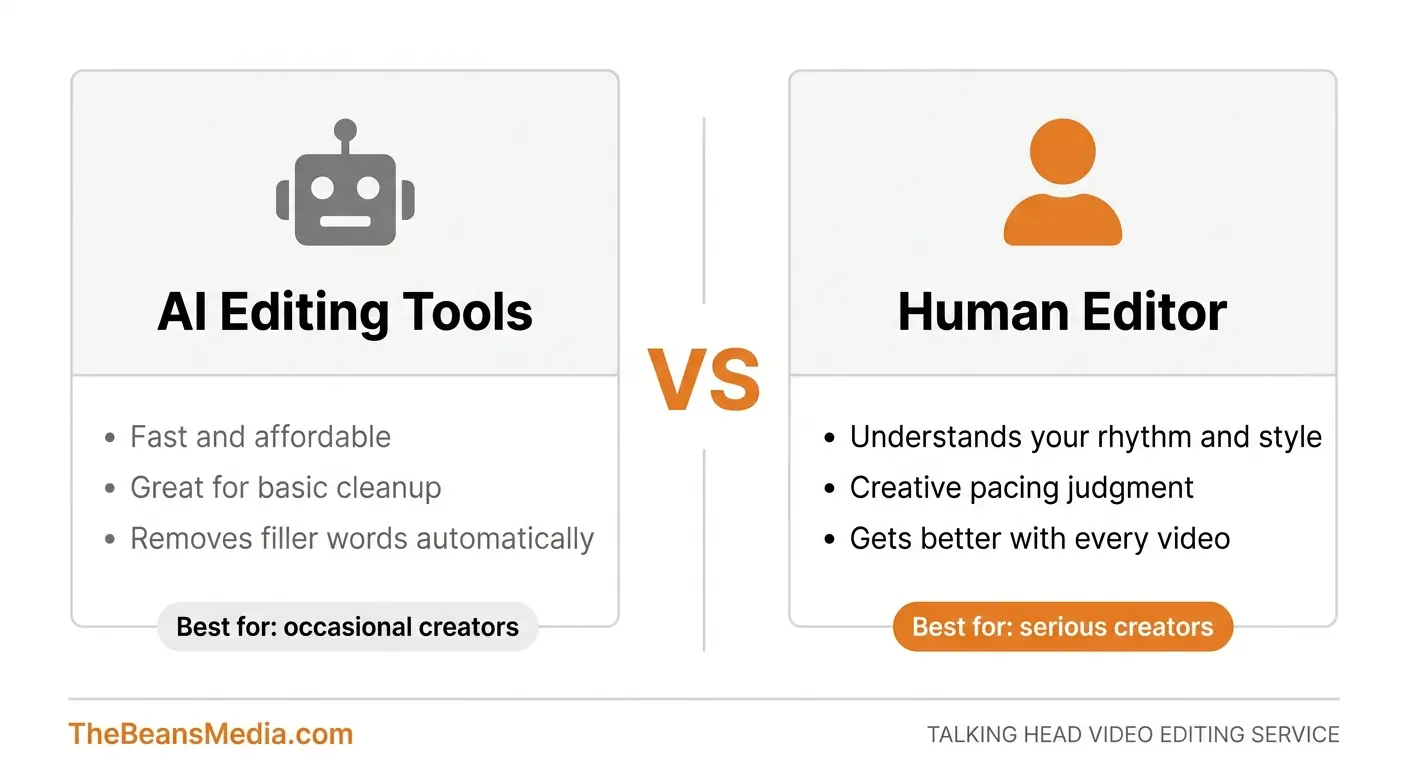
This comes up constantly, so it's worth addressing directly. Tools like Descript, Gling AI, Opus Clip, and Adobe Podcast have gotten genuinely good at certain tasks, particularly automated filler word removal and rough-cut assembly. If you're a solo creator on a tight budget, they're worth knowing about.
But here's where they fall short: AI tools cannot judge pacing. They can remove an "um" but they can't tell whether the pause before it was meaningful or whether cutting it will make the sentence feel rushed. They don't understand your speaking rhythm, your creative style, or how your audience expects you to sound. Every creator who has run their footage through an AI editor knows the feeling: technically cleaner, but somehow off.
AI editing is also notoriously inconsistent when it comes to jump cuts. The cuts look automated because they are there's no creative decision behind them, just pattern matching. For creators building a personal brand on YouTube or in coaching, that inconsistency shows.
For creators who publish occasionally and don't need much beyond basic cleanup, AI tools can get the job done. But for video editing for YouTubers and coaches who publish regularly and care about quality, a human editor who knows your content is an entirely different category of output. The gap becomes more obvious as you publish more videos.
When to Outsource Your Video Editing vs. Do It Yourself
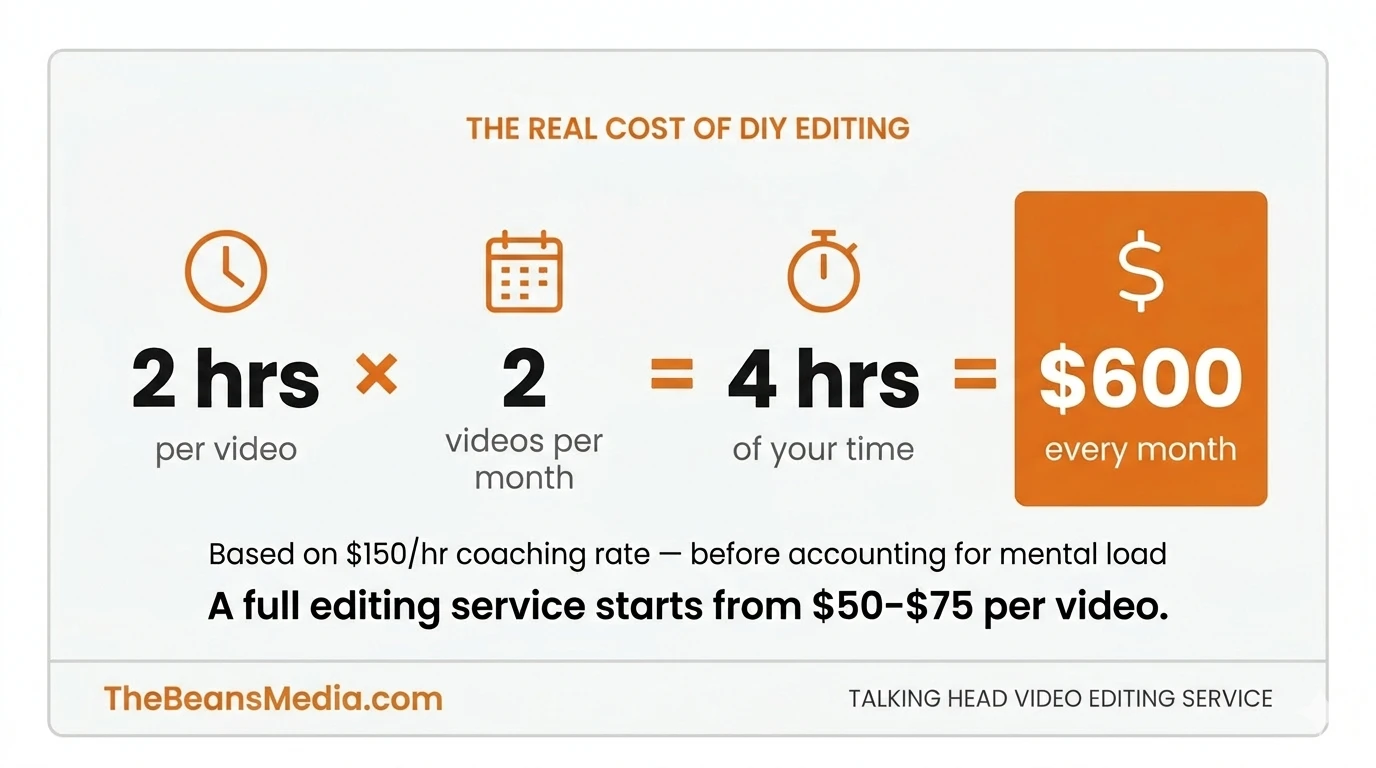
Here's the honest answer: if editing takes you more than two hours per video and you're publishing at least twice a month, it's worth running the numbers on outsourcing.
Say you charge $150/hour for coaching. Two hours of editing per video, twice a month — that's $600/month of your time, before you even account for the mental load of doing something you probably hate.
Basic editing (cuts, pacing, audio cleanup) typically starts around $50–$75 per video. Full-service editing with captions, color correction, and thumbnails runs $150–$250. Monthly packages for weekly publishers often work out 10–20% cheaper than per-video pricing. The math usually works out — especially once you're honest about what your time is actually worth
But it's not just about money. It's about where your energy goes. Editing is a real skill, and getting good at it takes years. If editing videos is not your business, that time is almost certainly better spent creating content, talking to clients, or building your product.
That said, there are real reasons to keep editing yourself. If you're just starting out and volume is low, learning to edit is worthwhile because it makes you a better filmmaker and communicator. You'll start framing shots differently when you know what a nightmare it is to edit shaky, poorly lit footage. And if your channel is in early stages, $150–$250 per video might not be sustainable yet.
The tipping point for most people is a consistent publishing schedule, a growing audience, and the moment editing becomes the thing they dread most about making content.
How to Choose the Right Talking Head Video Editing Service?
Not all editing services are the same, and price is not always the indicator of quality you'd expect.
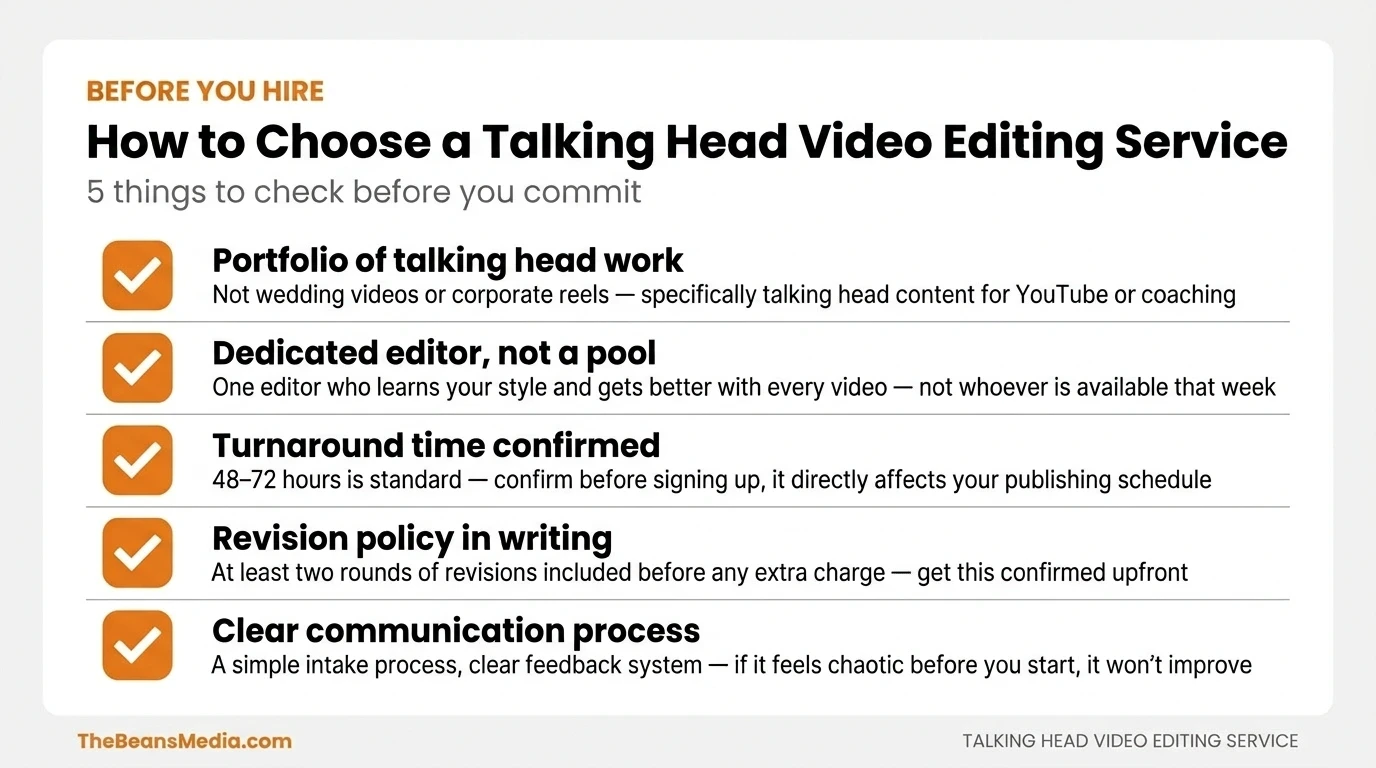
Start with samples. Any serious editing service should have a portfolio of past work, ideally featuring talking-head content specifically, not wedding videos or corporate promos. Watch the samples and pay attention to pacing. Does the video move? Does it feel natural? Can you actually sit through three minutes of it?
Ask about turnaround time and revision policy. Some services take a week to return a single video. Others offer a 48-hour turnaround. Neither is inherently better; you need to know what fits your publishing schedule. You should get at least one or two rounds of revisions included before you're charged extra.
Find out who's actually editing your videos. Some services are marketplaces where your footage gets distributed to whoever is available. Others assign a dedicated editor to your account who learns your style over time and gets noticeably better with each video. The latter is worth paying more for.
Understand what's included in the price. Captions, thumbnails, color correction, background music — some services bundle these, others charge separately. Get clarity upfront so you're not surprised by the invoice.
Finally, look at how they communicate. A good editing service makes the process simple. Clear intake, the right questions asked upfront, and straightforward feedback. If the communication feels chaotic before you've even started working together, it won't get better once they have your footage.
Frequently Asked Questions
How much does a talking head video editing service cost?
Pricing typically ranges from $50 to $250 per video, depending on length, turnaround time, and what is included (captions, thumbnails, color correction). Many services offer monthly retainer packages for weekly publishers that cost less per video than paying individually.
How long does talking head video editing take?
Most professional services return edited videos within 48 to 72 hours. Premium or rush services can deliver same-day or next-day. Turnaround time varies by service and should be confirmed before signing up, as it directly affects a creator's publishing schedule.
What's the difference between a talking head video editor and a general video editor?
Talking head editors specialise in pacing, filler word removal, and maintaining natural conversational flow — skills that are distinct from editors who work on wedding videos or corporate promos. Specialisation matters for this format in a way that is easy to underestimate until working with both types.
Can AI replace a talking head video editor?
AI tools like Descript and Gling can automate filler word removal and basic cuts, but cannot match the pacing judgment, style consistency, and overall feel that a human editor provides — especially for creators building a personal brand. The gap is most noticeable on longer videos where rhythm and energy are critical to viewer retention.
How do you know if a video editing service is good at talking head content specifically?
The most reliable method is to request samples of talking-head work only — not wedding or event videos — and watch them for natural pacing, smooth jump cuts, and audio consistency. A service that assigns a dedicated editor rather than a rotating pool tends to produce more consistent results over time.
Why The Beans Media
Beans Media works exclusively with YouTubers, online coaches, and course creators who film talking-head content. Every project gets a dedicated editor who learns your style — no rotating pool, no generic cuts. We've edited over 1,500 videos for creators in the business coaching, health, and online education space.
If you're ready to stop spending your best hours in an editing timeline, see what it looks like to work with a talking head video editing service that's built specifically around this format.